





@ stefano interessante la Yurta alla milanese 🙂 in una yurta europea il nemico non è il freddo ma l’umidità;…
consulenza per efficienza energetica
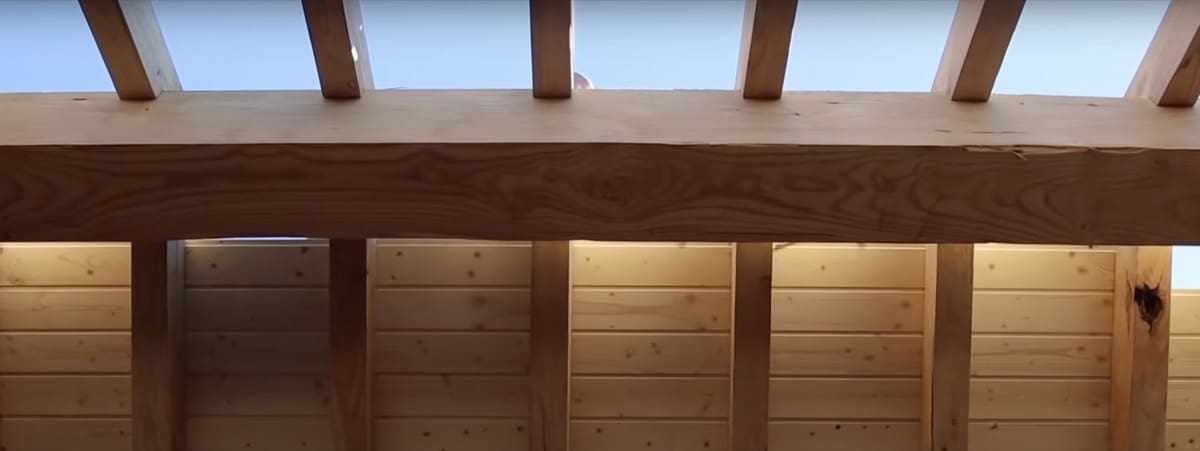
dal 2020: 32 Nel primo post “Tetto in legno con Velux, problemi e difetti” abbiamo visto i tre punti fondamentali: tenuta all’aria del tetto…
dr. esperto CasaClima
Esperto in: proposte di isolamento termico, involucro edilizio
“si è sempre fatto così” non è sinonimo di tradizione. Progettare per risparmiare energia è progettare l’isolamento termico, cioè l’involucro super performante per un edificio confortevolissimo. La scelta dell’isolamento termico comincia in un’area di ricerca e analisi, continua con la simulazione di soluzioni, materiali e spessori diversi attraverso il Calcolo termico, prosegue con un’analisi dei costi per materiali e si conclude con i dettagli escutivi, anche in 3D, necessari alla perfetta comprensione della soluzione scelta. Propongo sempre materiali non pericolosi per la salute, evitando, per principio, tutto quanto mi sembra rischioso: da un cantiere non inquinato può nascere un’abitazione sana.
Perito Industriale Termotecnico
Esperto in: progettazione impianti, progettazione termotecnica
Le case non sono tutte uguali, nè le esigenze dei committenti lo sono, né le zone climatiche italiane: ad ogni progetto il suo progetto di impianti! L’involucro dell’edificio svolge il lavoro più gravoso di protezione dal freddo e dal caldo – ma cosa sarebbe una casa ben isolata se si installassero impianti inadeguati o sovradimensionati ?
Architetto
Esperto in: progettazione architettonica
Nel rapporto committente / progettista l’empatia è importantissima: vi aiuto a definire gli obiettivi del progetto, poi lavoro affinché rispecchi le vostre idee e le vostre aspettative. Tutto in funzione del vostro budget di spesa. Vi esonero dall’enorme carico burocratico / documentale che c’è dietro ad ogni opera edile: qui il fai da te non è possibile.

Progettazione dell’ involucro edilizio: stratigrafie tetto, pareti, solaio, fondazioni, attenuazione ponti termici… con Calcolo delle Proprietà termiche dei componenti edilizi, materiali idonei, Schede tecniche e di posa, Voci di capitolato, Dichiarazioni di prestazione e Numero DoP, Certificati termici, Conformità ai CAM, Schede di Sicurezza + assistenza mirata in cantiere

Verifica del progetto del tetto in legno, verifica dei materiali previsti nella stratigrafia del tetto, verifiche tecniche sulla scelta dell’ isolamento termico e acustico (trasmittanza, sfasamento estivo, fono isolamento) e sul rischio di condense interstiziali, proposte alternative o correttive a quanto già previsto. Un tetto in legno senza errori 🙂

Progettazione termotecnica 2D 3D, BIM, progettazione Passivhaus, Blower Door test UNI 13829, progettazione e bilanciamento impianti VMC

Progettazione architettonica, BIM, progettazione Passivhaus

Forse hai già un sito internet, o un blog aziendale, per essere più vicino ai Tuoi clienti ma hai poco tempo da dedicarci. Oppure Ti mancano i contenuti. O vorresti finalmente ottimizzare il lavoro che hai già fatto? … il modo migliore per aumentare le visite al Tuo sito, è scrivere chiari, semplici e utili contenuti con l’intento di informare correttamente i lettori. Ai lettori si devono dare sempre: le risposte che cercano, le informazioni che vogliono, e la documentazione che desiderano scaricare. Offro tutta la mia competenza per confezionare grandi contenuti.

@ stefano interessante la Yurta alla milanese 🙂 in una yurta europea il nemico non è il freddo ma l’umidità;…

Buongiorno! invece ho una curiosità molto particolare: voglio divertirmi a costruire una yurta in giardino in provincia di Milano (non…
@ paola ha ragione i link diretti non funzionano più 🙁 non me ne ero accorto. se vuole può sostenere…

Buongiorno, non è più possibile acquistare i kit descritti nell’articolo?
@ matteo immagino do sì. diverso sarebbe se ci fosse perlite o altro isolante granuloso

Molto interessante la sua proposta di una vmc breve canalizzata, ma nell’intercapedine muro perimetrale é presente isolante insufflato (fiocchi di…
@ matteo invece che attendere i problemi e poi affrontare nuove spese e preoccupazioni potrebbe aggiungere alla spesa dei nuovi…
Buonasera Federico e grazie per i tanti articoli e risposte che aprono la mente. Purtroppo mi ritrovo l’appartamento che ho…
@ maurizio materiali eccellenti, pur non conoscendo lo spessore. ma forse preferirei usare calcecanapa sfusa a ridosso della pietra e…
@ mauro strano! tetto coibentato sulla soffitta non riscaldata… non ho capito se il soffitto della stanza corrisponda al solaio…